Most people compare IPTV providers by price and channel count. That is understandable, but it misses the most important question: what is actually behind the service you are paying for? Two IPTV providers can show you the same channel list and the same TV guide, yet one runs perfectly through a full season while the other freezes every Saturday. The difference is in how the service is built and run.
This guide explains, in plain English, how IPTV providers work behind the scenes in Ireland, the different types of seller you will come across, and how to use that knowledge to choose a service you can rely on.
Key takeaways
- IPTV providers sit at different points in a chain: server operators, panel managers and retail sellers.
- What matters to you is server capacity, how the service is managed at peak time, and the quality of support.
- Very cheap prices usually mean overcrowded servers and slow help.
- A good provider is open about pricing, answers questions fast and helps you set up on every device.
Table of Contents
How IPTV providers work: the simple version
IPTV (Internet Protocol Television) sends live TV channels over the internet instead of satellite or cable. To make that happen, three jobs need to be done:
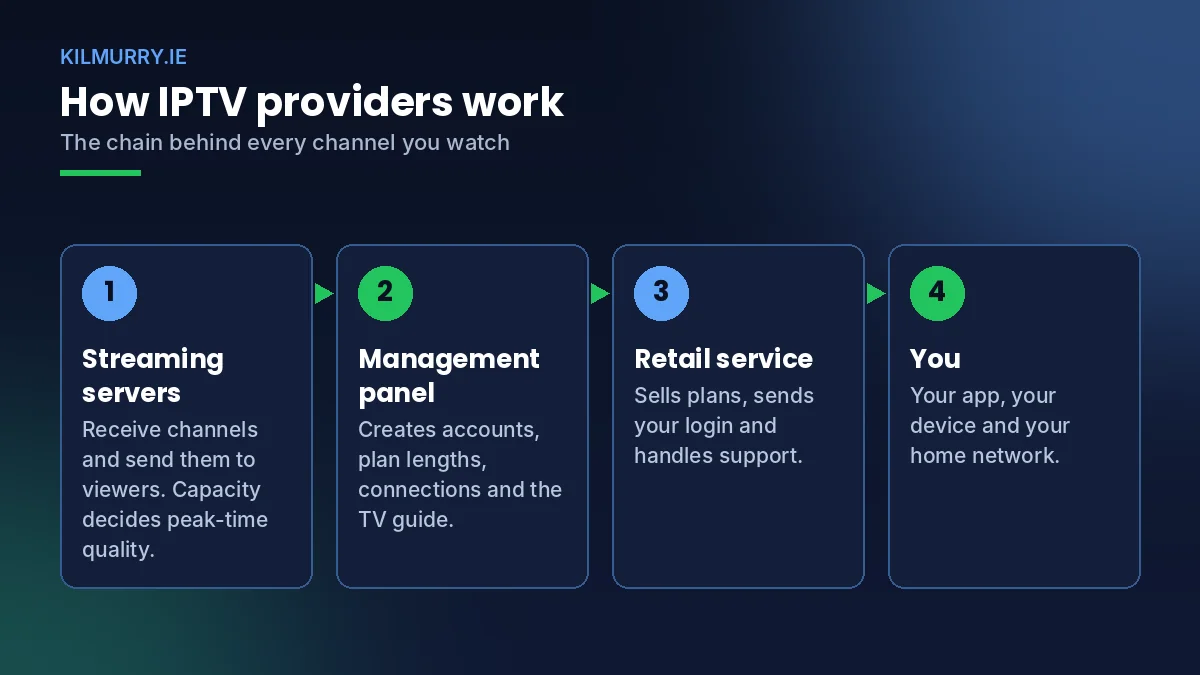
- Streaming servers receive the channels and send them out to viewers. Their capacity decides how many people can watch smoothly at the same time.
- A management panel creates accounts, sets plan lengths, controls connections and feeds the TV guide.
- A retail service sells subscriptions, sends login details and provides customer support.
Some IPTV providers handle more of this chain themselves, others rely on partners. As a viewer, you do not need to know every technical detail, but you do need to know whether the people you are paying can keep the service stable and help you when something changes.
The different types of IPTV providers
| Type | What they do | What it means for you |
|---|---|---|
| Established services | Run a consistent service with their own site, support and policies | Stable experience, clear terms, someone to contact |
| Small retailers | Sell access with a personal touch | Can be excellent if support is fast and the service behind them is strong |
| Short-term sellers | Appear before big events with very low prices | High risk of overloaded servers and disappearing support |
What really separates good IPTV providers from bad ones
Server capacity at peak time
Every server has a limit. When a provider sells far more subscriptions than its servers can handle, everything works on a quiet weekday and falls apart at kick-off. Good IPTV providers plan for the busiest moments of the year, not the average evening.
Load balancing and backup streams
Well-run services spread viewers across several servers and keep backup links for the most popular channels. If one source has a problem, the app can switch to another with little or no interruption.
Channel maintenance and the TV guide
Channels change, sources move and listings need constant updates. A provider that maintains its list properly gives you working channels and an accurate guide. One that does not leaves you with dead links and empty listings.
Support and communication
When an app updates or your router changes, you need help quickly. The best IPTV providers answer on WhatsApp in minutes and know the product well enough to fix issues on the spot.
Why cheap IPTV providers often cost more
When a subscription is priced far below the market, the money has to be saved somewhere. Usually it is on server capacity and support staff. The result is predictable: buffering during live sport, long waits for help, and services that vanish mid-subscription. Paying a fair price for a stable service is almost always better value over a full year.
For a broader comparison of what you get for your money, see our guide to the best IPTV service and our comparison of IPTV vs Sky and Virgin Media.
How to evaluate IPTV providers before you pay
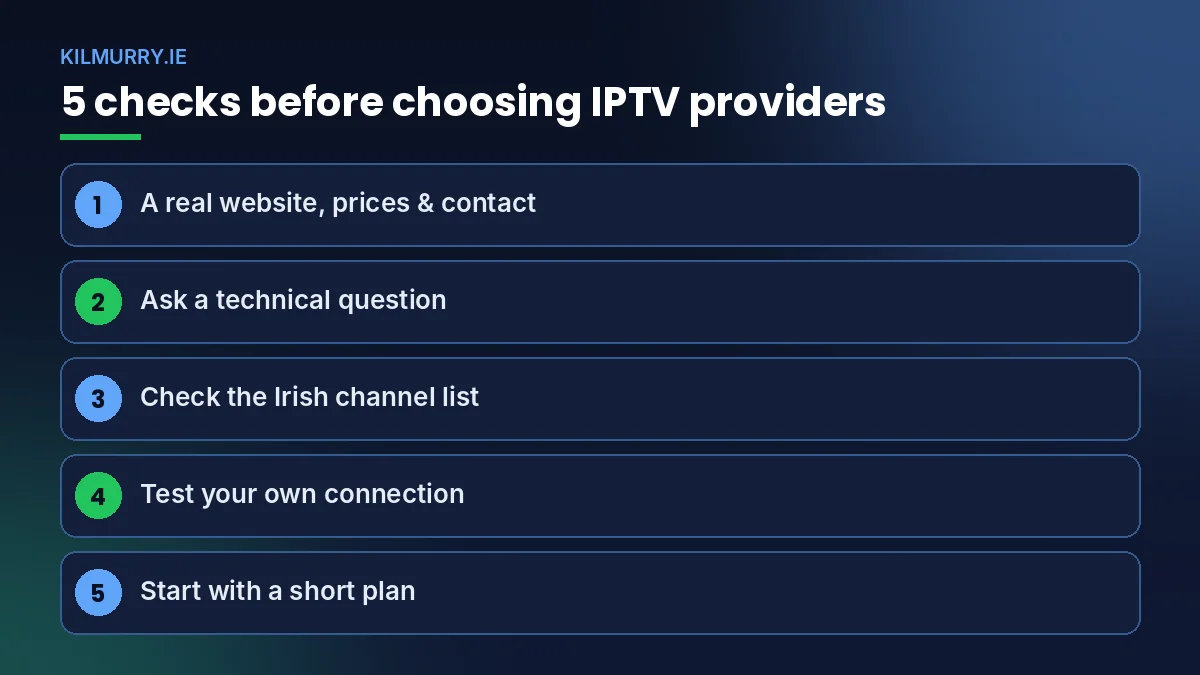
- Look for a real presence. A proper website, clear prices, guides and a contact that replies.
- Ask a technical question. For example: « Which app do you recommend for my Samsung TV? » The quality of the answer tells you a lot.
- Check the Irish channel list. RTÉ, Virgin Media Television, TG4 and Irish sport should be clearly included.
- Test your own connection. Use Speedtest.net near the TV. About 15 Mbps is fine for HD.
- Start short. A 1-month plan lets you see how the service performs during real live events before committing.
How kilmurry.ie works as one of the providers in Ireland
We focus on the things that matter after you have paid: a stable service during live sport, a full Irish and international channel list, an accurate TV guide, and fast support on WhatsApp. Our plans are straightforward:
- 1 Month: €14.99
- 3 Months: €29.99 (about €10.00 per month)
- 6 Months: €39.99 (about €6.67 per month)
- 12 Months: €49.99 (about €4.17 per month)
See what is included on our subscription page, or read our IPTV subscription guide for a full explanation of how plans work.
When the problem is not the provider
Not every freeze is the provider’s fault. Weak Wi-Fi, an old router, a busy home network or a streaming stick that needs a restart can all cause buffering. Before switching between IPTV providers, try a wired connection and the simple fixes in our IPTV Ireland buffering fix guide.
A short guide to IPTV formats and logins
When you buy from one of the IPTV providers in Ireland, your access usually arrives in one of two formats. Knowing the difference makes setup easier.
| Format | What you receive | Best for |
|---|---|---|
| Xtream Codes login | Username, password and server address | Most modern apps, with full TV guide and on-demand library |
| M3U playlist link | A single web link to the channel list | Simple players and computers (for example VLC) |
| MAG portal | A portal address linked to your box’s MAC address | MAG set-top boxes |
Most customers today use the Xtream Codes login because it loads channels, the TV guide and films neatly in one app. If you prefer a basic player on a laptop, the free VLC media player can open M3U links.
How providers keep channels working
Behind every working channel there is ongoing maintenance. Sources change, channel numbers move and listings need updating. The better IPTV providers do this work continuously so you do not notice it. Signs that a provider maintains its service well include:
- Dead channels are fixed or removed quickly rather than left in the list.
- The TV guide matches what is actually on.
- Popular sports channels have more than one source.
- Customers are told about bigger changes, such as a new server address.
Signs of a poorly maintained service are the opposite: growing numbers of broken channels, an empty guide and silence when you ask what happened.
Peak-time performance: why it separates providers
The busiest moments of the Irish TV year are predictable: weekend Premier League kick-offs, Champions League nights, Six Nations weekends, the GAA championship and the Christmas period. Those are the moments when thousands of viewers press play at the same time.
IPTV providers that plan for these peaks keep enough capacity in reserve and spread viewers across several servers. Those that do not end up with frozen pictures exactly when everyone is watching. If you can, judge any service on a big match day rather than a quiet evening.
Providers and your home network
Your own setup plays a big part in what you see. Even the best IPTV providers cannot overcome a weak Wi-Fi signal or a router struggling with ten devices at once. Before you decide a service is at fault:
- Run a speed test near the TV, not next to the router.
- Try an Ethernet cable for your main TV.
- Use the 5 GHz Wi-Fi band if a cable is not possible.
- Restart the router and streaming device.
- Pause large downloads and game updates during live sport.
Our Samsung and LG smart TV guide and Firestick setup guide include device-specific tips as well.
What good providers tell you before you buy
Transparency is one of the clearest signs of a provider you can trust. Before you pay, a good service will tell you what plans cost, what each plan includes, how activation works, how many screens you can use, how to reach support and what its terms say. If you have to chase any of that information, consider it a warning sign.
Frequently asked questions about IPTV providers
Are all providers the same?
No. Many show similar channel lists, but server capacity, maintenance and support vary a lot. That is what decides whether a service works during peak live events.
How can I tell if providers are reliable?
Check for a real website, clear prices, fast WhatsApp support and good performance during a live match. Avoid lifetime deals and prices far below the market.
Why does my stream buffer only during big matches?
That usually points to overloaded servers on the provider’s side, although home Wi-Fi can also struggle when several devices are busy. Test with a cable to find out which it is.
Can I switch providers without new equipment?
Yes. Keep your device and app; just replace the login details or M3U link with the new provider’s.
Which devices do most providers support?
Fire TV Stick, Android TV boxes, Samsung and LG smart TVs, iPhone, iPad, Android phones and computers.
How fast can I start with kilmurry.ie?
Usually within minutes of ordering on WhatsApp.
What is the difference between an M3U link and an Xtream login?
An M3U link is a single playlist address; an Xtream login uses a username, password and server. Most modern apps work best with an Xtream login because it loads the TV guide and films neatly.
Do providers update the channel list?
Good ones do, continuously. Dead channels should be fixed or removed quickly and the TV guide kept accurate.
Questions before you choose?
We are happy to explain anything about how our service works. Tell us your device and what you watch, and we will give you a straight answer. You can also reach us through our contact page.
Message us on WhatsApp or read more on the kilmurry.ie blog.