Most people stay with an IPTV provider longer than they should, not because they are happy but because switching sounds like hassle. What if the new one does not work on the bedroom TV? What if the match is on the weekend you swap over? Switching between Irish IPTV providers is actually simple, as long as you do it in the right order.
This guide is a no-downtime checklist: five steps that let you move to a new provider without missing a single evening of TV.
Key takeaways
- Overlap the old and new services by a few days so you are never without TV.
- Test the new provider on a busy evening before moving every screen across.
- Rebuild your favourites list first, so the family can find their channels straight away.
- Most IPTV plans are prepaid and simply run out; there is usually nothing to cancel.
Contents:
- Signs it is time to switch
- Switch in five steps
- A smooth switch vs a messy one
- Moving each device over
- Switching to us
- Safe and legal viewing
- FAQs
Signs it is time to switch
- Buffering every weekend, even after you have checked your broadband and router.
- Messages to support go unanswered, or the answer is always « restart the app ».
- The TV guide is wrong or missing for Irish channels.
- You are paying more per month than you need to for the plan length you use.
If two of these sound familiar, it is worth comparing. Our list of questions to ask a new provider helps you compare fairly, and our explainer on how IPTV providers work shows what sits behind the service.
Switch in five steps
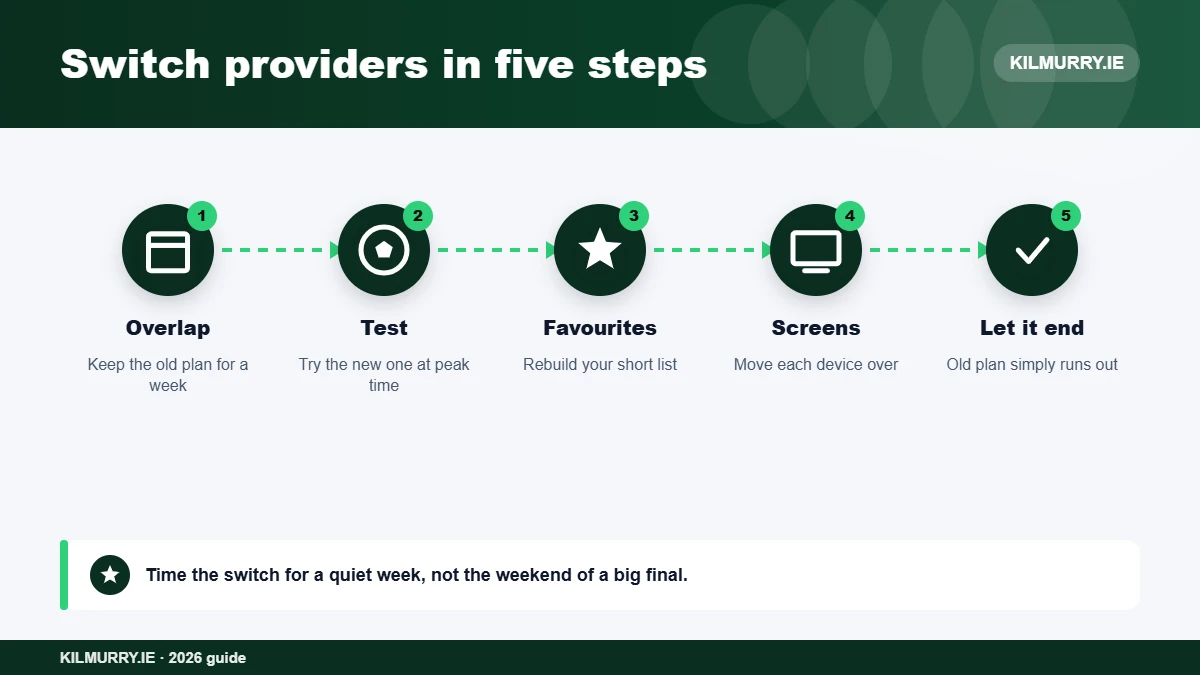
1. Overlap
Start the new service a few days to a week before your old plan ends. A short overlap costs very little and removes all the risk.
2. Test at peak time
Watch live sport on the new service on a busy evening. If it holds up then, it will hold up any night.
3. Rebuild your favourites
Favourites belong to each provider’s channel list, so they do not carry over. Spend ten minutes building a short list on the main TV first.
4. Move each screen
Change one device at a time: main TV, bedroom TVs, Firesticks, phones and tablets. Check each one before moving on.
5. Let the old plan end
When everything works, remove the old login from each device and let the old plan simply run out.
A smooth switch vs a messy one
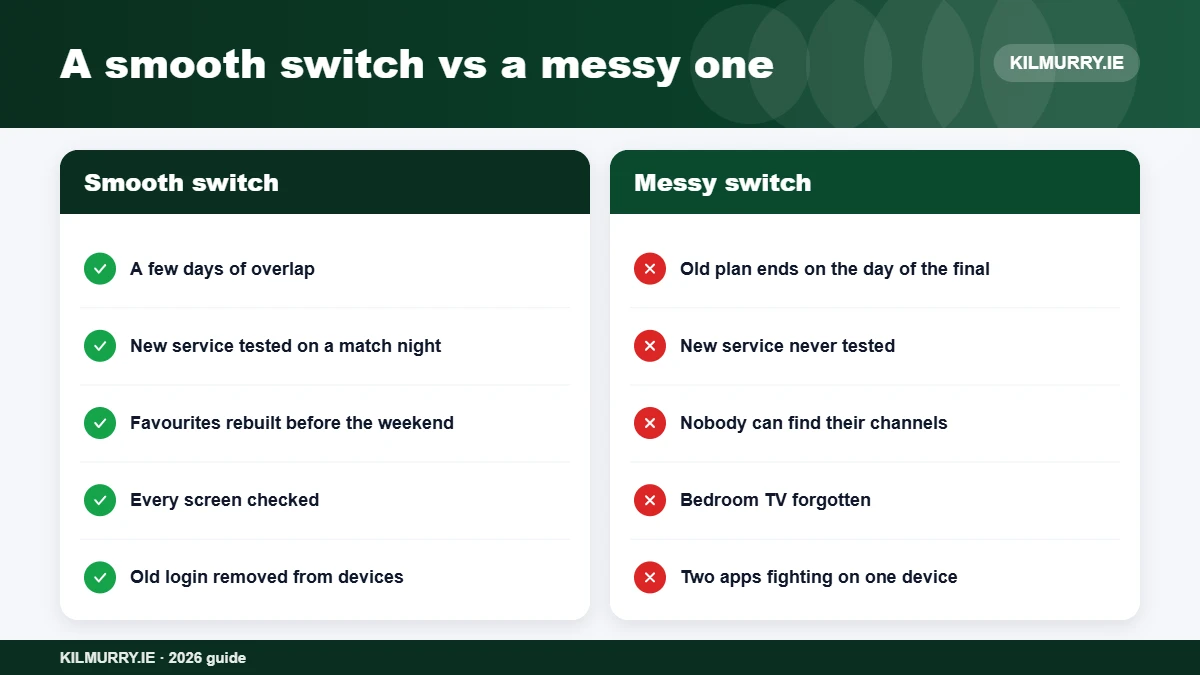
Nearly every bad switch has the same cause: the old service ends before the new one is properly set up. Give yourself a few days of overlap, pick a quiet week and you avoid all of it.
Moving each device over
You do not need new equipment. On a Firestick, open your IPTV app and add the new login, or follow our Firestick setup guide. If you use IPTV Smarters, our Smarters setup guide shows where to add a new account. Once the new account works, delete the old one from the app so the two do not get mixed up. If you see buffering on one device only, our buffering fix guide is the place to start.
Switching to us
Thinking of switching to us? Tell us your devices and we will help you set each one up. Every plan includes the same channels and support.
| Plan | Price | Works out at |
|---|---|---|
| 1 month | €14.99 | €14.99 a month |
| 3 months | €29.99 | €10.00 a month |
| 6 months | €39.99 | €6.67 a month |
| 12 months | €49.99 | €4.17 a month |
See all plans here, or read our IPTV subscription guide.
Safe and legal viewing
Check that you have the right to watch the content you stream, and follow the rules that apply where you live. When you switch, remove old logins from every device and only install apps from the official app stores.
FAQs
Can I switch Irish IPTV providers without losing any TV?
Yes. Start the new service a few days before the old one ends, test it on a busy evening, move your devices over one by one and let the old plan run out. You will never be without TV.
Do I need new equipment to switch IPTV providers?
Usually not. The same Firestick, smart TV, Android box or phone works with the new provider. You normally just enter new login details in the same app, or a different app if your new provider recommends one.
Will my favourites move over when I switch?
Favourites are saved inside each provider’s channel list, so you will need to rebuild them. It takes a few minutes, and it is a good chance to keep only the channels you really watch.
When is the best time to switch providers?
In a quiet week, a few days before your current plan ends. Avoid switching on the weekend of a big final or during the Christmas schedule.
Should I cancel my old IPTV plan first?
Most IPTV plans are prepaid for a set period and simply run out. Check how yours works, but there is usually nothing to cancel: you just stop renewing.
The bottom line
Switching Irish IPTV providers is not a leap of faith. Overlap for a few days, test on a busy evening, rebuild your favourites, move one screen at a time and let the old plan run out. Done in that order, nobody in the house will notice the change, except that the TV works better.
Want help switching? Message us on WhatsApp, see our plans or contact us. More guides are on our blog.